How customers book
Discovery and booking channels to maximize your business visibility
Why visibility is key for your business?
When you activate the reservation service with TuTike, your restaurant can appear in multiple places simultaneously, multiplying the opportunities for customers to find you. By being indexed on more sites, your business becomes more visible in search results and TuTike suggests you more frequently to users.
All reservations, regardless of where they originate, are managed from one place: the TuTike administration panel.
Channel 1 — TuTike Website
The TuTike website is highly indexed and receives hundreds of thousands of weekly visits. Your restaurant can appear in:
Restaurant carousel
Your business is shown in the main restaurant carousel, with image, name, and book button. This is one of the most visible areas of the website.
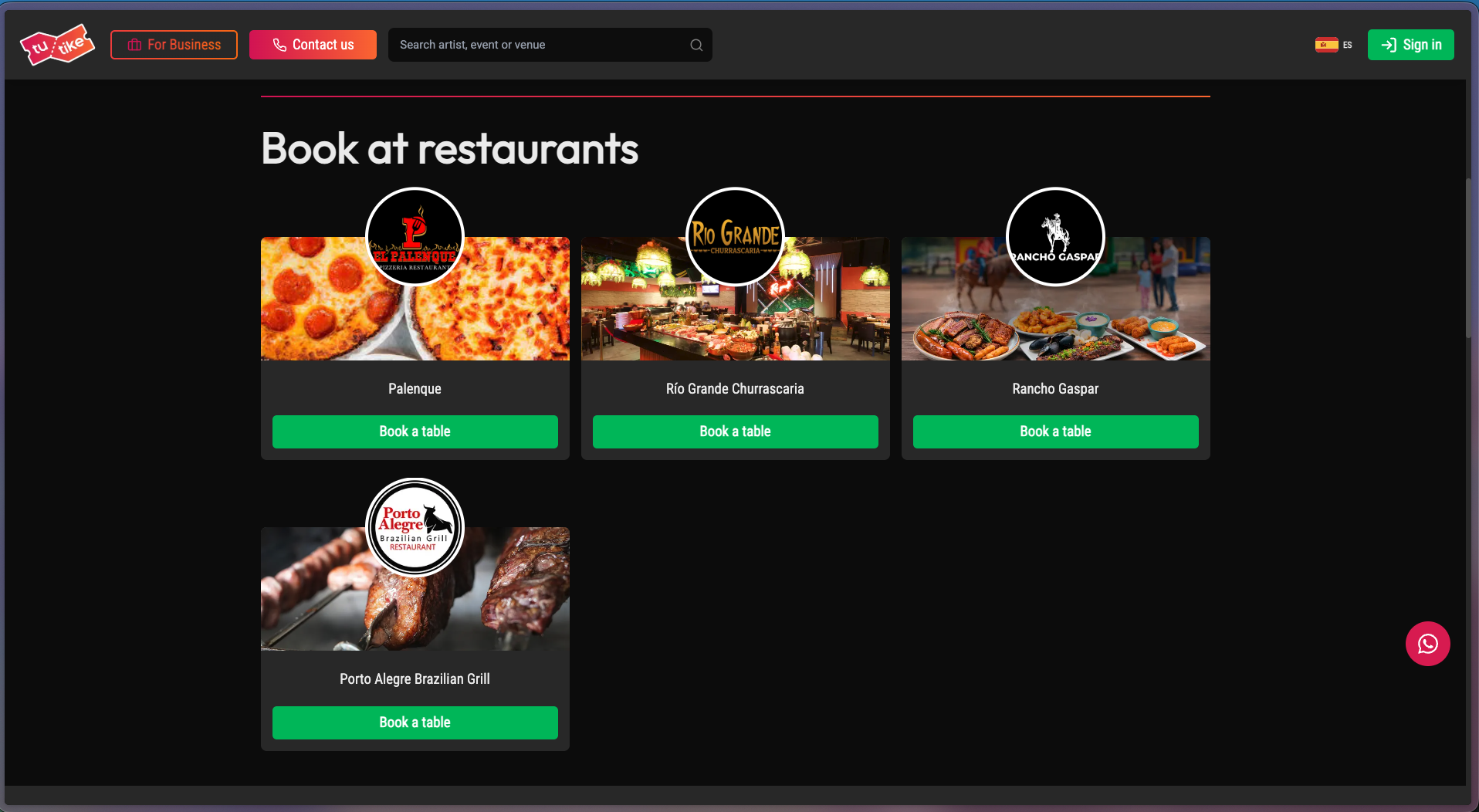
Restaurant section
Your restaurant appears indexed in the complete restaurant section, where users can filter by location, cuisine type, and other criteria.
Booking modal
When a customer selects your restaurant, the booking modal opens where they can:
- Select the service
- Choose date and time
- Enter their personal data
- Complete the reservation
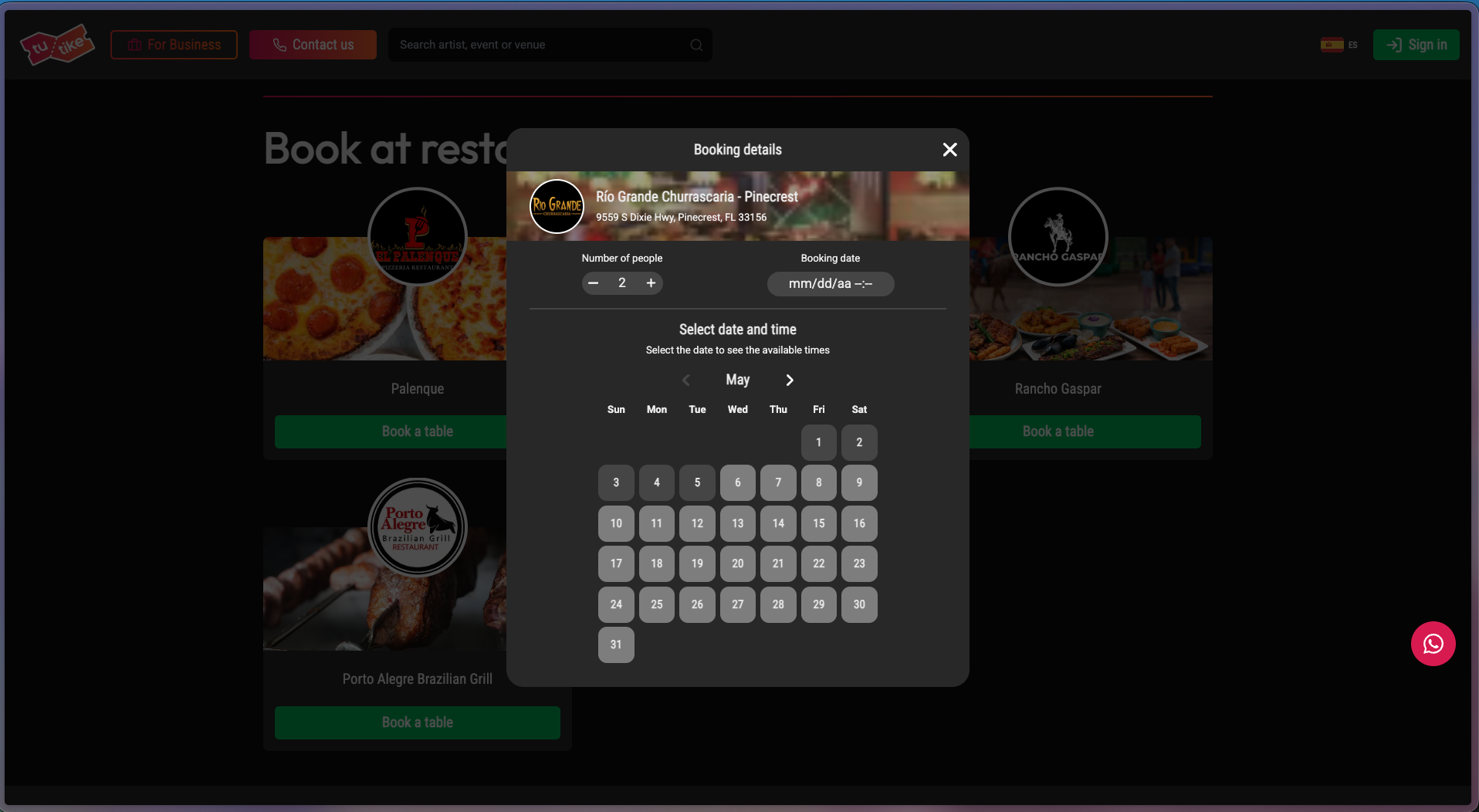
The TuTike website receives hundreds of thousands of weekly visits, which helps your restaurant's discoverability. These are regional visits from people in the same region where your restaurant is located.
Channel 2 — Own website with WordPress plugin
If your restaurant has a WordPress website, TuTike offers a highly configurable and customizable plugin.
Plugin advantages
- Integration without leaving your page — Customers book directly from your website, without redirecting them
- Custom styles — The booking component adapts to your website styles
- Simple configuration — Quick installation and configuration in a few steps
- Same experience — Users enjoy a fluid experience integrated into your site
How it works
The plugin displays a card with:
- Your restaurant banner
- Your logo
- The business title
- The "Book now" button
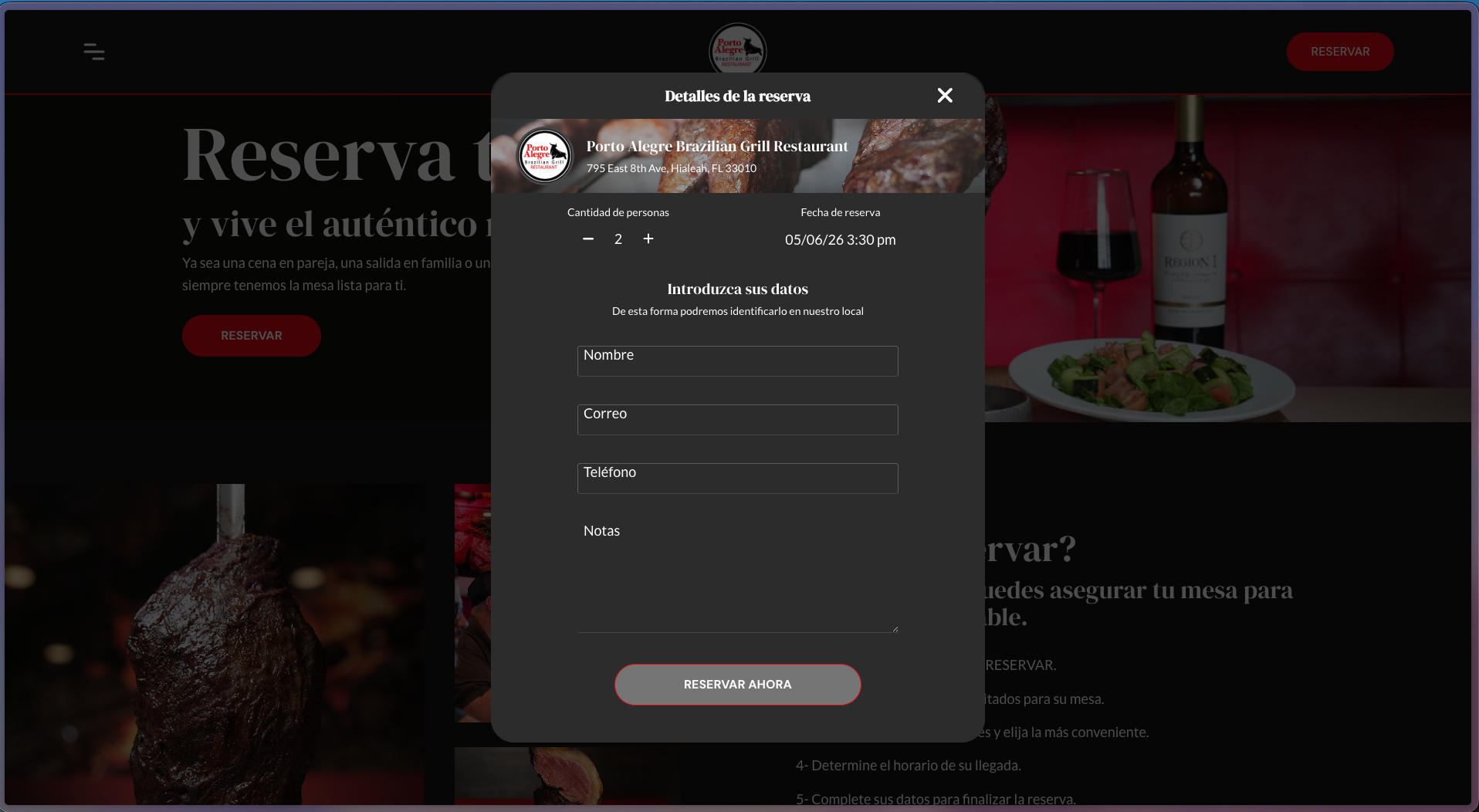
When clicked, the booking modal opens with all available services from your business.
You can also integrate the reservation system directly into your website by consuming the TuTike API if you prefer to develop your own solution.
Channel 3 — Google Maps
If you activate the Google integration, your restaurant can receive reservations directly from the Google Maps and Google Search listing.
Book button on Google
Once the integration is activated, the "Book" button will appear on your business's Google listing.
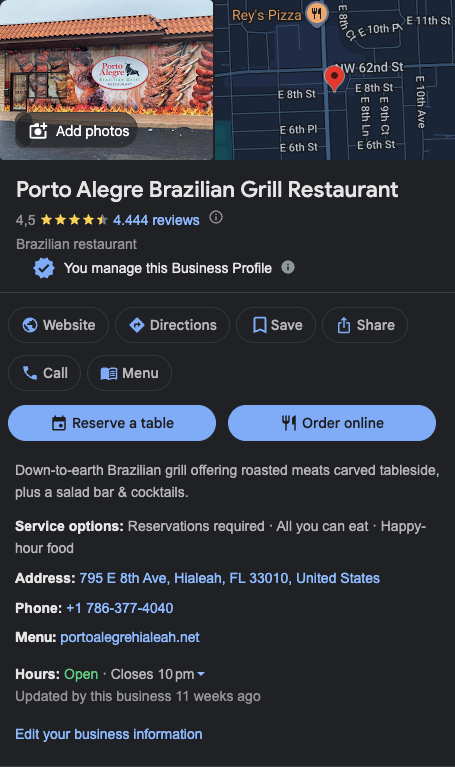
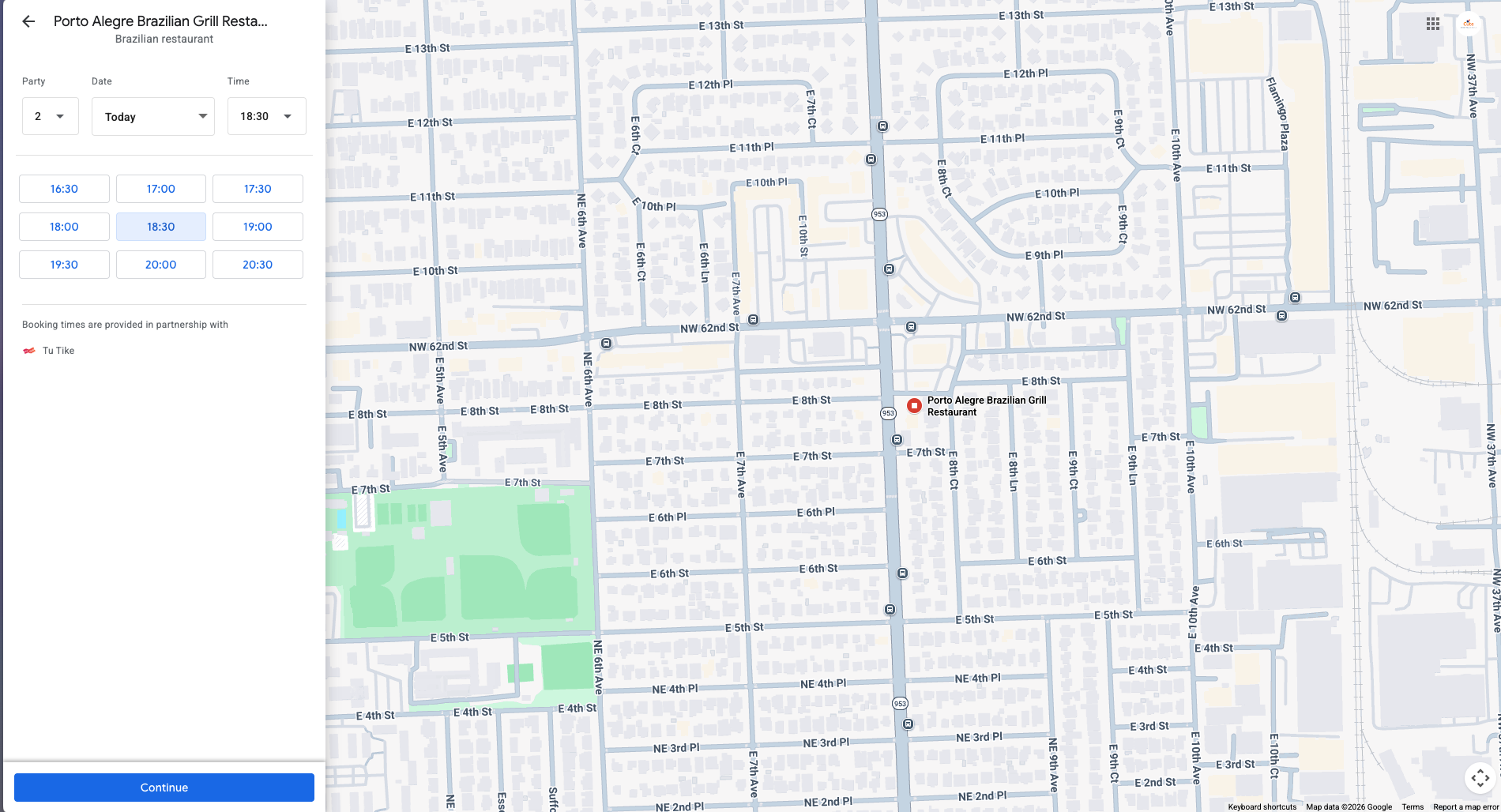
Booking flow on Google
When a customer clicks the "Book" button on Google:
- Your business's booking page opens on Google
- The customer selects date, time, and number of people
- Completes their personal data
- The reservation is automatically created in the TuTike panel
To enable the Google integration, your business must meet certain configuration requirements. Consult the Google synchronization section in the business documentation for more details.
Google is one of the highest traffic sources for restaurants. Appearing with the book button on Google Maps can mean a significant increase in reservation volume.
Centralized management
Regardless of where the reservation originates — TuTike, your own website, or Google — all reservations appear in one place: the TuTike administration panel.
This allows you to:
- View all reservations in a unified view
- Manage them from the same place
- Have total control over your availability
- Analyze the performance of each channel
By being present on multiple channels, your business maximizes its visibility and increases opportunities for customers to find you and book.