API Access
API Access List
View of all your API Accesses with general information
What is it?
The API Access List is where you can view all your accesses to the TuTike platform. Here you will find the list of all your business chains or businesses you have access to.
This screen gives you a quick view of the general information for each API Access and lets you access the details to configure each one.
List Page
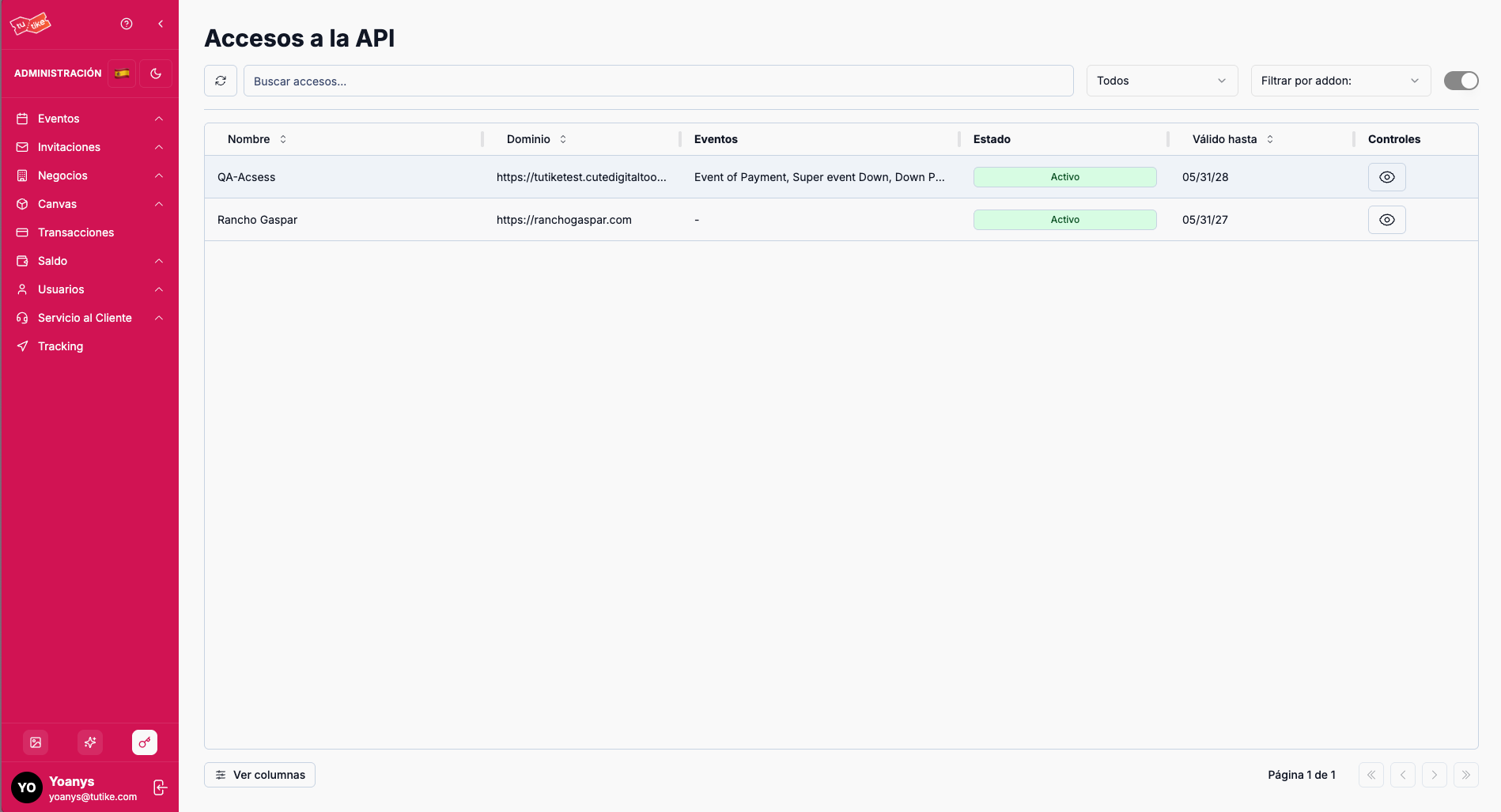
On the list page you will find:
- Search bar: Search for a specific API Access by name (you will normally have a single API Access, so you won't use this much)
- API Access table: List with all your API Accesses and their general information
API Access Table
The table shows the following information:
| Column | Description |
|---|---|
| Active | Indicates whether the API Access is active or inactive |
| API Access name | Representative name assigned to this API Access |
| Website | Website associated with this API Access |
| Events | Number of events this API Access has |
| Status | Current status of the API Access (active/inactive) |
| Validity | How long your access to the platform is valid |
| Controls | Available options to manage the API Access |
Available Controls
In the controls column you will find:
| Action | Description |
|---|---|
| View details | Access the API Access details page where you can configure all its options (general, branding, legal, contracts, and notifications) |
What is it for?
The List section lets you:
- View all your accesses: Quickly check all your API Accesses and their general information
- Identify your business: See which API Access corresponds to each business chain or business
- Access configurations: Enter the details to configure each specific API Access
- Monitor validity: Review how long your platform access is valid