Withdrawals
List of all your withdrawal requests and their details
What is it?
The Withdrawals section is the dashboard where you can view the complete list of all the withdrawals you have requested, whether completed or pending. Here you will find the history of all your transfer requests, their current status, and you can access the details of each one.
This screen gives you full visibility over your withdrawal flow, from when you submit requests to when they are approved and the money is transferred to your bank account.
Withdrawal List
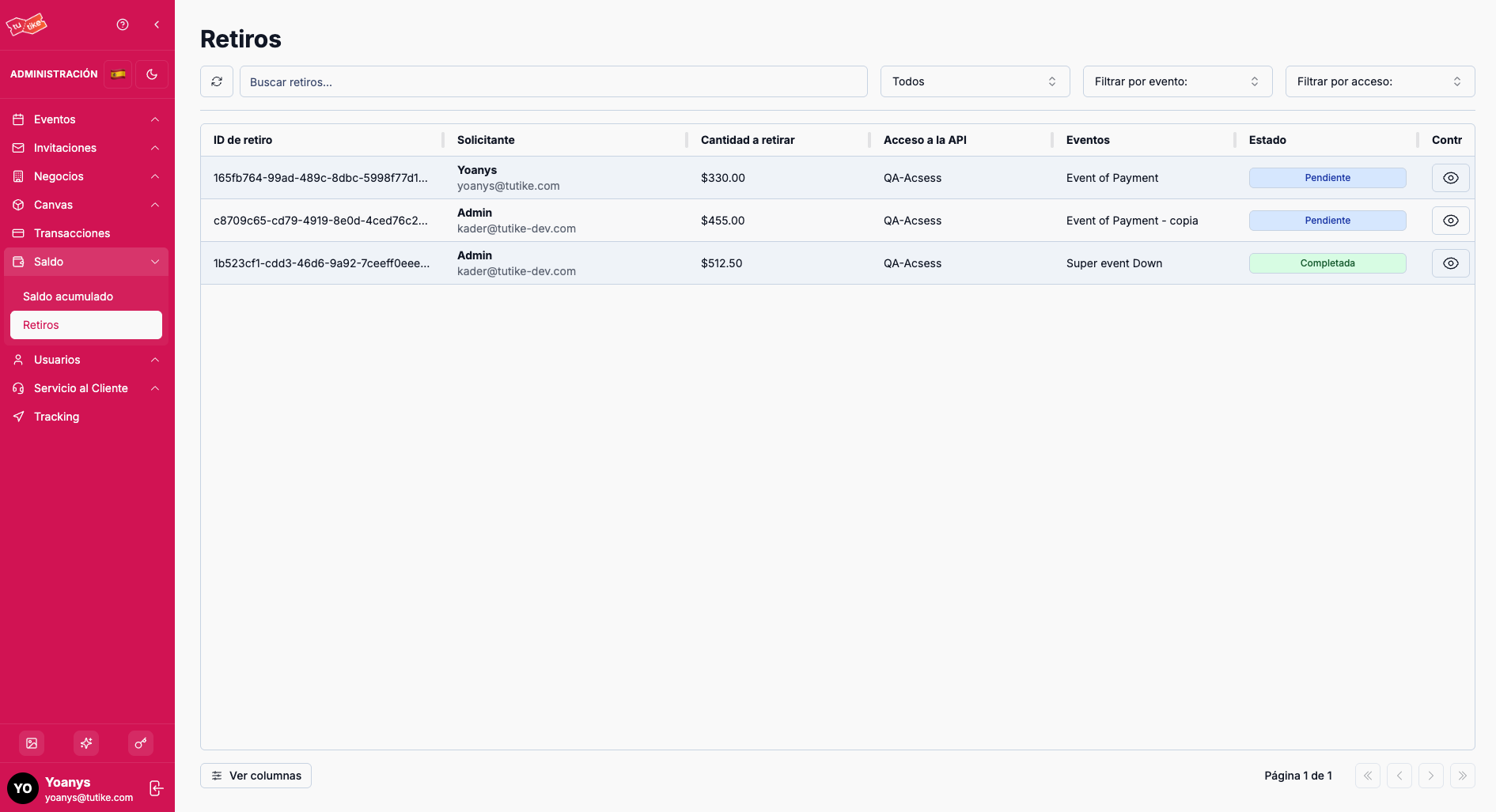
In the main table you will find all your withdrawal requests with the following information:
| Column | Description |
|---|---|
| Withdrawal ID | Unique identifier for the withdrawal request |
| Requester | Person who made the withdrawal request |
| Amount to withdraw | Amount requested for transfer to your bank account |
| API Access | Business chain the withdrawal belongs to |
| Event | Specific event from which the balance is being withdrawn (if applicable) |
| Status | Current status of the request (pending, completed, cancelled, etc.) |
| Controls | Options to view withdrawal details |
Available Filters
Above the table you will find search filters that let you customize the view:
| Filter | Description |
|---|---|
| Search | Search for a specific withdrawal by requester name |
| Status | Filter withdrawals by their current status (pending, completed, cancelled, etc.) |
| Event | Filter withdrawals by a specific event |
| Access | Filter withdrawals by API Access (business chain) |
The filters let you view the withdrawal history in general or specifically. The table will update automatically based on the filters you select.
Viewing Withdrawal Details
To see more information about a specific withdrawal, click the "View details" option in the controls column. This will take you to the withdrawal details page, where you will find more detailed information about the request.
Information on the details page
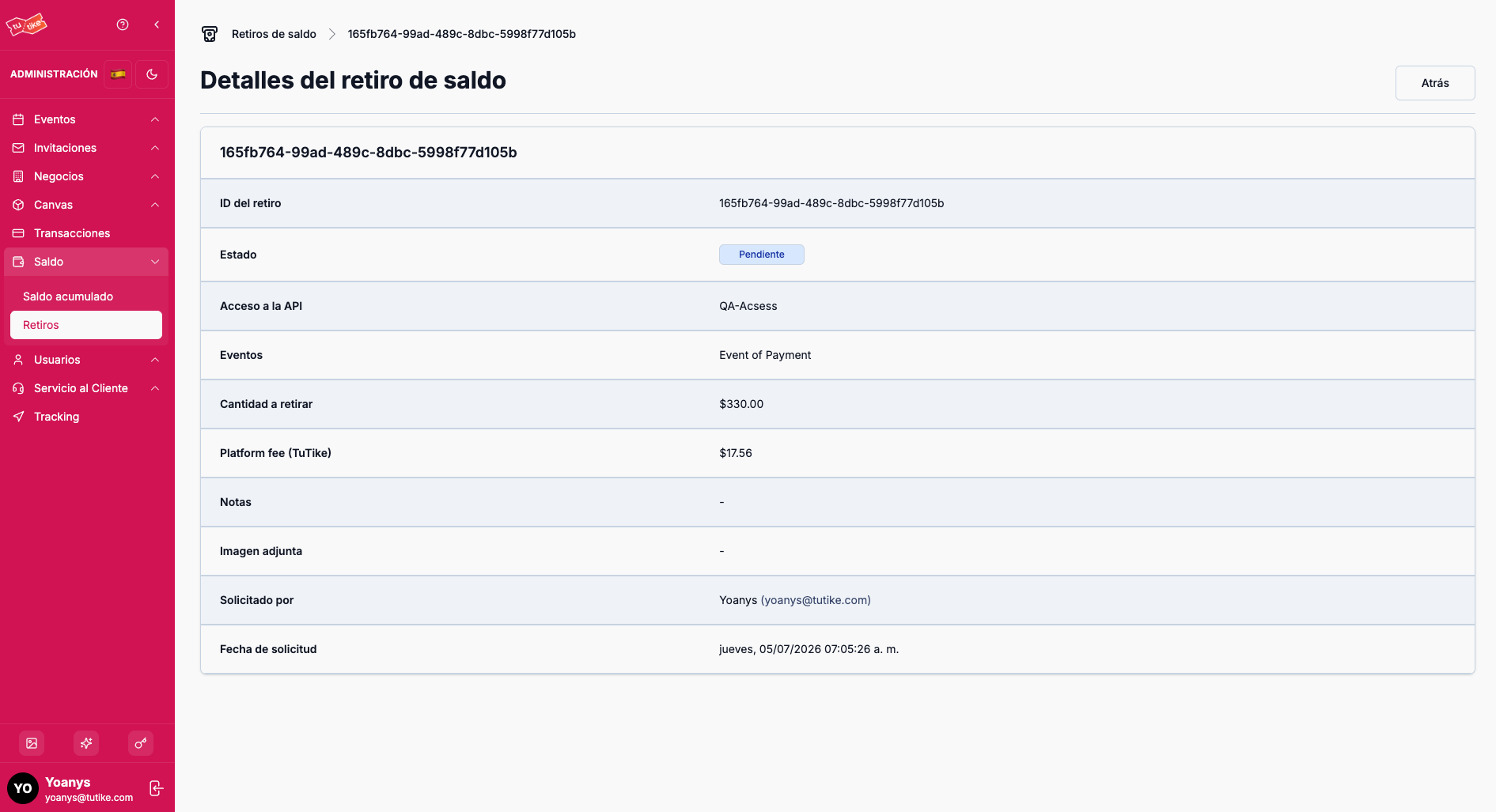
On the details page you can see:
- Complete requester information
- Amount requested and applied fees
- Associated API Access and event
- Current status of the request
- Request date and processing date (if applicable)
Evidence for completed withdrawals
If the withdrawal is in completed status, on the details page you will find:
- Payment evidence: Image or document showing that the transfer was made
- Administrator note: Comments or notes added by the TuTike administrator when processing your request
Payment evidence and administrator notes are only available for withdrawals that have been completed and successfully processed.
Possible Statuses
| Status | Meaning |
|---|---|
| Pending | Your request is waiting to be reviewed and approved by the TuTike administrator |
| Paused | The request is temporarily on hold |
| Completed | The transfer was made successfully and the money is already in your bank account |
| Cancelled | The request was rejected by the TuTike administrator |
| Failed | An error occurred when trying to make the transfer |
What is it for?
The Withdrawals section lets you:
- Complete history: View all your withdrawal requests in one place
- Traceability: Know the status of each request in real time
- Documented evidence: Access payment receipts for completed withdrawals
- Transparency: Have full visibility of your fund flow from when you request the withdrawal to when you receive the money
- Control: Filter and search for specific withdrawals based on your needs