Configurations
Management of tracking configurations for Meta and Google Analytics
What is it?
The Configurations section is where you can manage the connections between your sales platform and your marketing accounts in Meta (Facebook/Instagram) and Google Analytics. Here you can create tracking configurations for each API Access or platform you use.
This screen lets you integrate your marketing campaigns with your sales platform, ensuring that tracking signals are sent correctly to your advertising consoles.
How does it work?
Generally, you will create one configuration per API Access or platform (Meta or Google Analytics). The process is as follows:
- Get your credentials: In your Meta or Google Analytics advertising account, obtain the Tracking ID and Tracking Secret
- Create the configuration: In this section, register your credentials with a representative name
- Assign to API Access: Select the API Access this configuration will correspond to
- Use in attributions: Once created, you can use this configuration when creating tracking attributions
Create Configuration Button
At the top of the screen you will find the "Create configuration" button. Clicking it will open a modal where you can register a new tracking configuration.
Configuration Form Fields
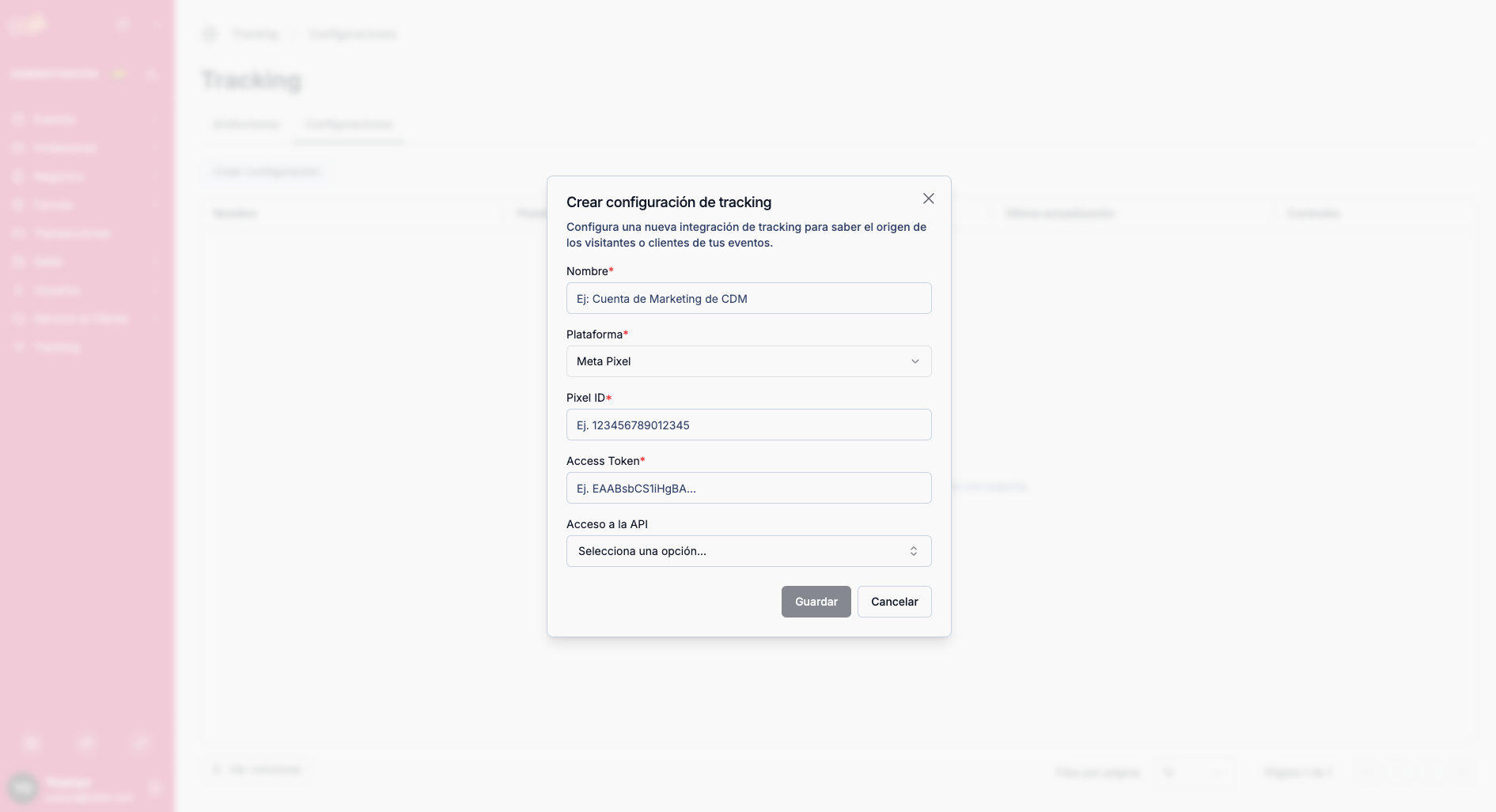
| Field | Description |
|---|---|
| Name | A representative name to identify this configuration (e.g., "Meta - Main API Access") |
| Platform | Platform this tracking configuration corresponds to (Meta or Google Analytics) |
| Tracking ID | Tracking identifier you will obtain from your Meta or Google Analytics advertising account |
| Tracking Secret | Tracking secret you will obtain from your Meta or Google Analytics advertising account |
| API Access | API Access this tracking configuration will correspond to |
The Tracking ID and Tracking Secret are credentials you obtain directly from your Meta or Google Analytics advertising account. These credentials allow our platform to send tracking signals to your marketing consoles.
What is it for?
The Configurations section lets you:
- Integrate your marketing platforms: Connect your Meta and Google Analytics accounts with your sales platform
- Organize by API Access: Create specific configurations for each API Access or platform
- Centralize credentials: Manage all your tracking credentials from one place
- Prepare for attributions: Use these configurations when creating tracking attributions for your campaigns