Businesses
Create Reservation from Panel
How to register a booking directly from the admin panel
What is creating a reservation from the panel?
Allows the manager, administrator, receptionist, or any business staff to create a reservation directly in the system when a customer requests the service by phone, in person, or through any channel external to the platform.
How to create a reservation
- Go to the Reservations section from the side menu
- Click the "Book" button located at the top right
- Complete the form and click "Save"
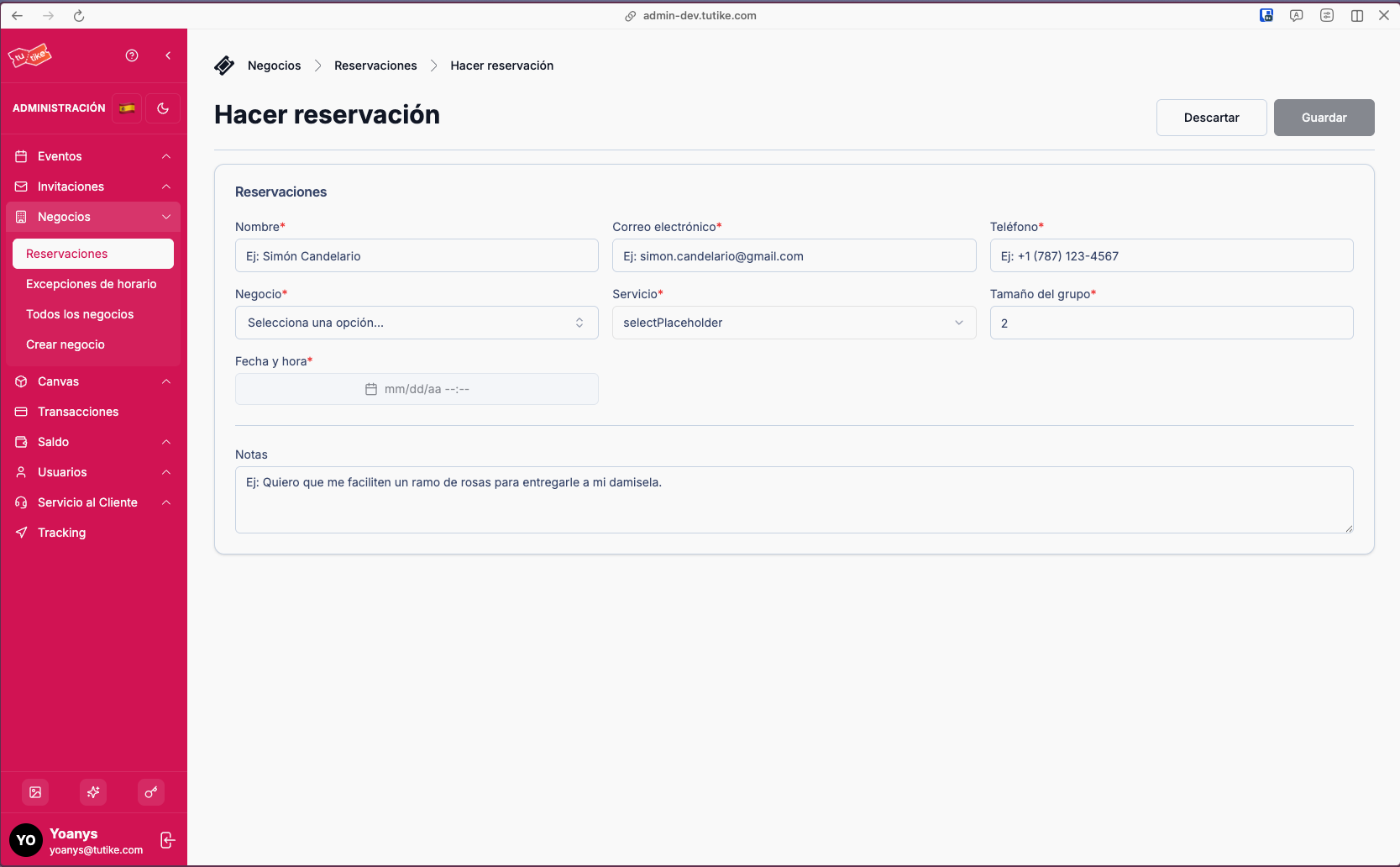
Form Fields
| Field | Required | Description |
|---|---|---|
| Customer name | Yes | Name of the person making the reservation |
| Yes | Customer email | |
| Phone | Yes | Customer contact phone |
| Business | Yes | Establishment where the reservation will take place |
| Service | Yes | Service being reserved. By default, the system selects the "Free Booking Service" |
| Group size | Yes | Number of people for the reservation |
| Date and time | Yes | Scheduled date and time for the reservation |
| Notes | No | Additional observations (optional). Useful for important information such as allergies, special preferences, etc. |
The available date and time is validated in real time against the business's schedule and resource availability.
All fields are required except notes.