Schedule Exceptions
Configuration of days or hours when a business is not available for reservations
What is a schedule exception?
A schedule exception is a temporary block that marks a specific period when a business cannot receive reservations. It allows managing special closures, holidays, maintenance, or other situations outside the regular schedule.
Exceptions List
In this section you can view and manage all schedule exceptions scheduled for your businesses.
Business Filter
If you manage multiple establishments, use the business filter to select which one you want to view. When you select a business, you will see:
- Schedule exception button — To create a new schedule exception
- Existing exception cards — Each card shows:
- Exception description
- Blocked time range
- Affected services
Scheduling a Schedule Exception
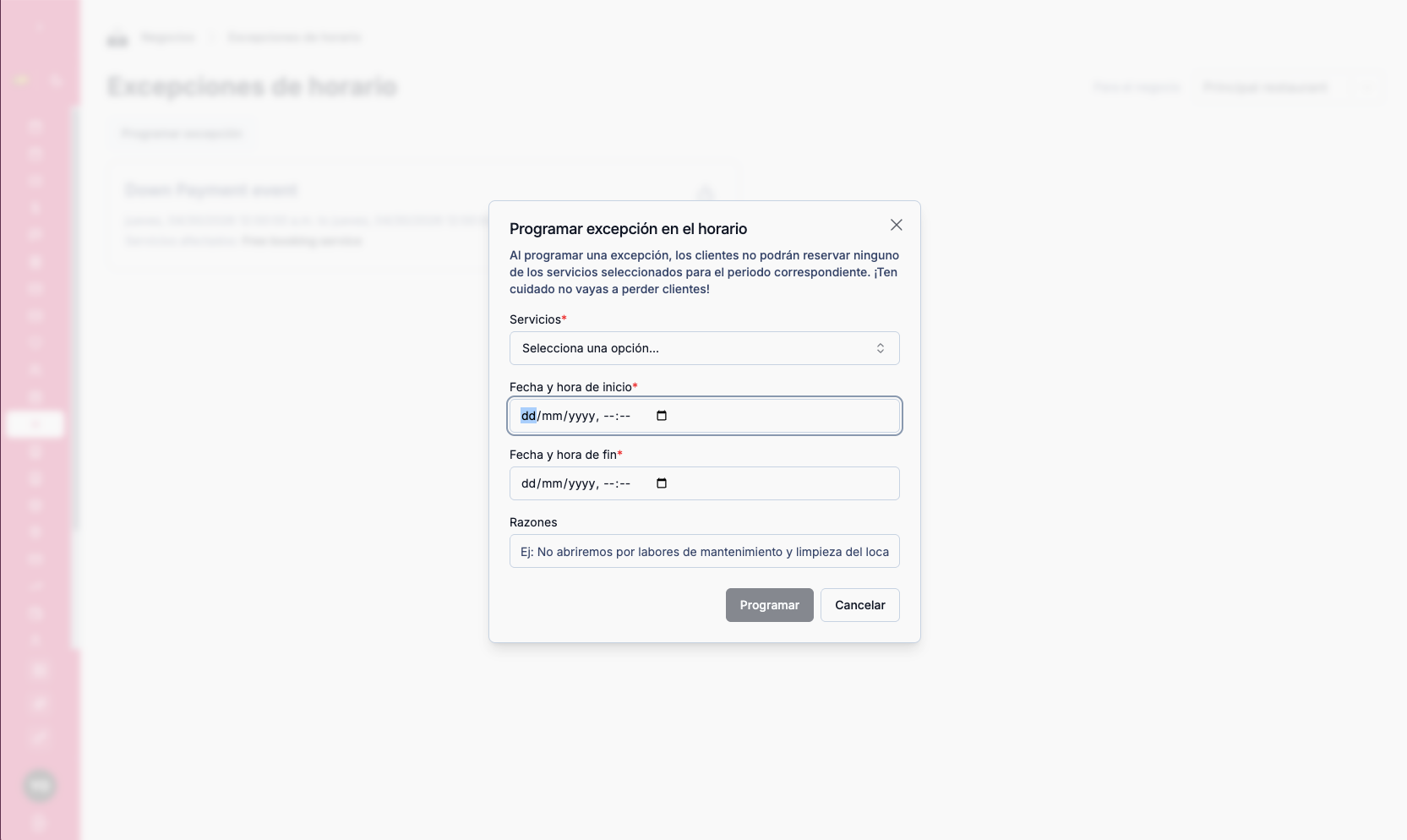
Click "Schedule exception" to create a new temporary block.
Form Fields
| Field | Description |
|---|---|
| Services | Select the service the exception applies to. By default, the system selects the main service (Free Booking Service). If your business has multiple service types (paid services, specific reservations, etc.), select the service for which you do not want to receive reservations during this period |
| Start date and time | Beginning of the unavailable period |
| End date and time | End of the unavailable period |
| Reason | Description of the reason for the exception (optional) — useful for internal reference |
System Behavior
Once scheduled, the exception automatically blocks reservations across all instances:
- Your business's website — Customers will not be able to book during that time
- TuTike platform — The system will not accept reservations for that period
- Google profile — Google will block reservations for that time slot
Changes in Google take time to propagate. Schedule exceptions at least 24 hours in advance to give Google time to update its systems and prevent reservations from being accepted during the blocked time.
If you already have confirmed reservations within the period you are going to block, contact customers before creating the exception to avoid confusion.
Managing Existing Exceptions
From the exception cards you can:
- Edit — Modify the time range, affected services, or reason
- Delete — Remove the schedule exception
When to Use Schedule Exceptions
| Use Case | Example |
|---|---|
| Holiday | The business closes on December 25th |
| Maintenance | 3-day closure for renovation |
| Seasonal closure | Operational pause during summer vacation |
| Private event | The space is reserved for a specific group |
| Reduced hours | Only available at certain hours that day |
What is it for?
- Prevents reservations from coming in during non-operating dates or periods
- Reduces last-minute conflicts and cancellations
- Keeps the business calendar always up to date without modifying the base schedule configuration
- Automatically syncs the block across all booking sources (website, TuTike, Google)