Prices
How the pricing system works and how to link prices to an event
What is a price?
Prices are fundamental entities of the platform. The elements of a map (seats, tables, zones) are agnostic: they have no properties of their own. An element's characteristics come from the price assigned to it. That is, when you create a map and designate an element, that element is blank. The price you assign defines the properties the user will be reserving.
Prices apply only to Canvas-type events. For Ticket-type events, the price is configured directly on each ticket type.
Price types
There are three price types in the system:
- Fixed prices
- Scalable prices
- Range prices
Fixed prices
Fixed prices have the following properties:
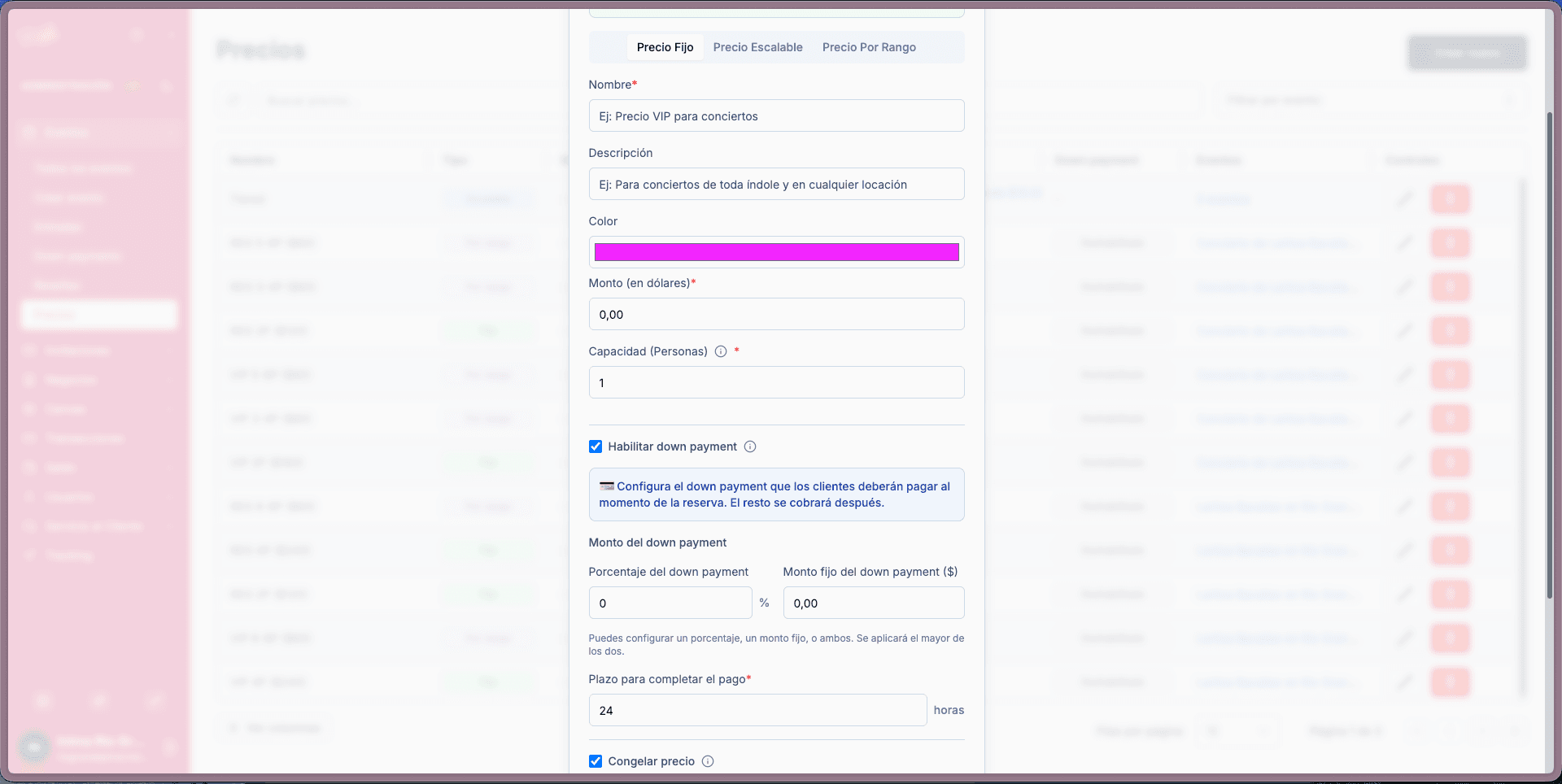
Basic properties
- Name (required): can be any name and can repeat (e.g. VIP, General, Regular, etc.)
- Description: administrative reference for internal use
- Color: the color the user will see on the map element when reserving
- Amount: the fixed amount in dollars the user will pay when selecting that element
- Capacity: visually indicates to the user how many people the element is for (1, 2, 3, 4, 5, etc.)
Enable down payment
This property allows the element to be reserved in two installments: an initial payment and a second payment to complete it.
Down payment configuration
The administrator can define the first payment in three ways:
- Percentage of the total price (e.g. 10% of the element price)
- Fixed amount (e.g. $15)
- Combination of both (a percentage plus a fixed price)
Time to complete payment
A deadline is defined to complete the payment (e.g. 72 hours). If the user does not complete the payment within that time, they lose the down payment and the reservation.
Lock price
An additional feature of the down payment that allows the user to pay an extra fee to secure the price.
How does it work?
- If this option is not enabled, the administrator can edit the price after the first payment (e.g. raise it from $100 to $120)
- If the user enables "lock price", they pay an additional fee (e.g. 2%) to freeze the price
- Once locked, the administrator cannot edit the price of that element
- The user will effectively pay what they saw at the start, without changes
The fee percentage charged to the user for locking the price is defined by the administrator when creating the price.
Scalable prices
Scalable prices share the fundamental characteristics of fixed prices: name, description, and color. However, they have one key differentiating property:
Maximum quantity
Defines how many tickets can be sold at this price. The main difference from a fixed price is:
- Scalable price: the element can be reserved by different users multiple times
- Fixed price: the element can only be reserved by one user
Scalable prices are designed for general areas. For example, you create a price with a maximum capacity of 100 and it can be reserved 100 times. If one person reserves 100 tickets, the reservation is complete. If 100 people each reserve 1 ticket, the reservation is also complete.
Price ranges
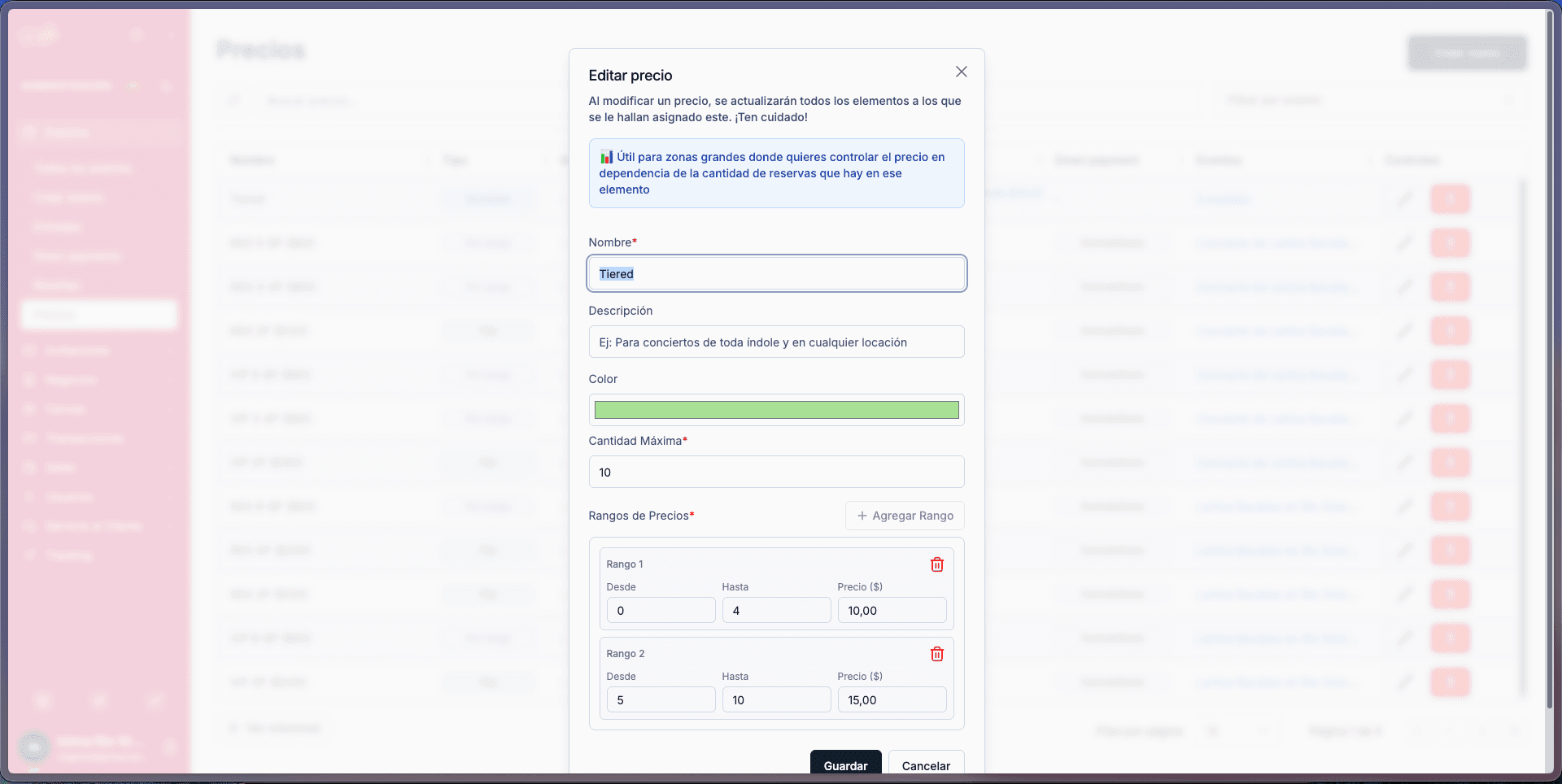
From the maximum quantity, you can create as many ranges as needed to cover that capacity. For example, if you have 100 elements, you can create:
- Range from 0 to 20
- Range from 21 to 80
- Range from 81 to 100
Ranges are fully configurable when creating the price, but must be:
- Consecutive to each other
- At most up to the total capacity
For each range you configure how much to charge per entry:
- From 0 to 20: $10 per entry
- From 21 to 80: $15 per entry
- From 81 to 100: $20 per entry
This allows the price to increase automatically as elements sell out.
Range prices
Range prices work similarly to fixed prices: an element with this price can only be reserved once. The key difference is that it allows the user to choose the number of people they will reserve for.
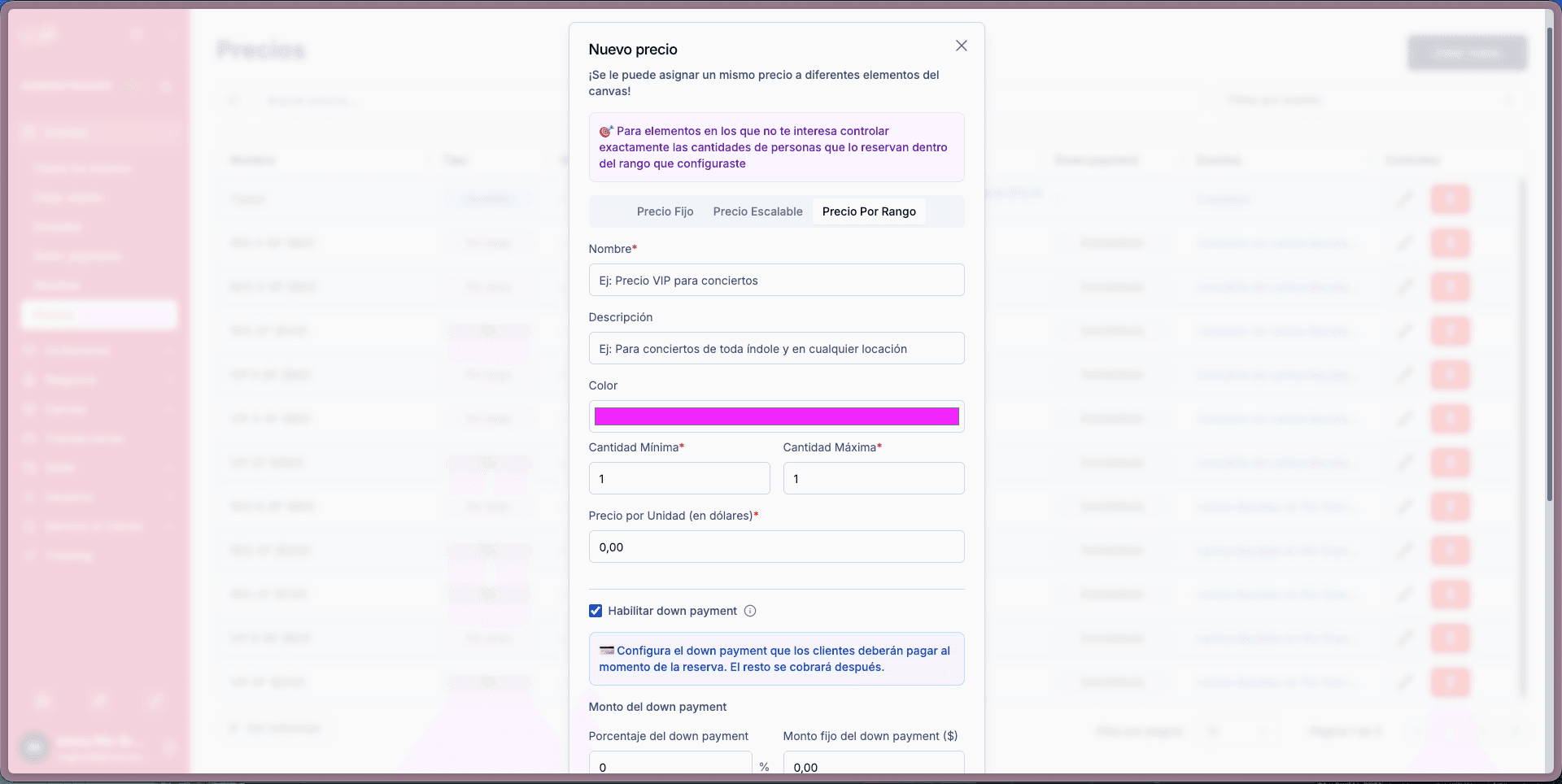
Properties
- Name
- Description
- Color
- Minimum quantity: minimum number of people
- Maximum quantity: maximum number of people
How it works
The price is configured per unit. For example, a table for 3 to 4 people at $50 per person:
- If the user reserves for 3 people: pays $150
- If the user reserves for 4 people: pays $200
The user selects, within the enabled range, how many people they want to attend.
Down payment
Like fixed prices, range prices can have down payment enabled with the same configuration options (percentage, fixed amount, combination, deadline, and lock price).
Price management
Edit prices
Prices can be edited as long as they are not assigned to any event. If a price is being used in an active event, it cannot be modified.
Delete prices
Prices can be deleted as long as they are not being used in any event. If a price is assigned to one or more events, it cannot be deleted.
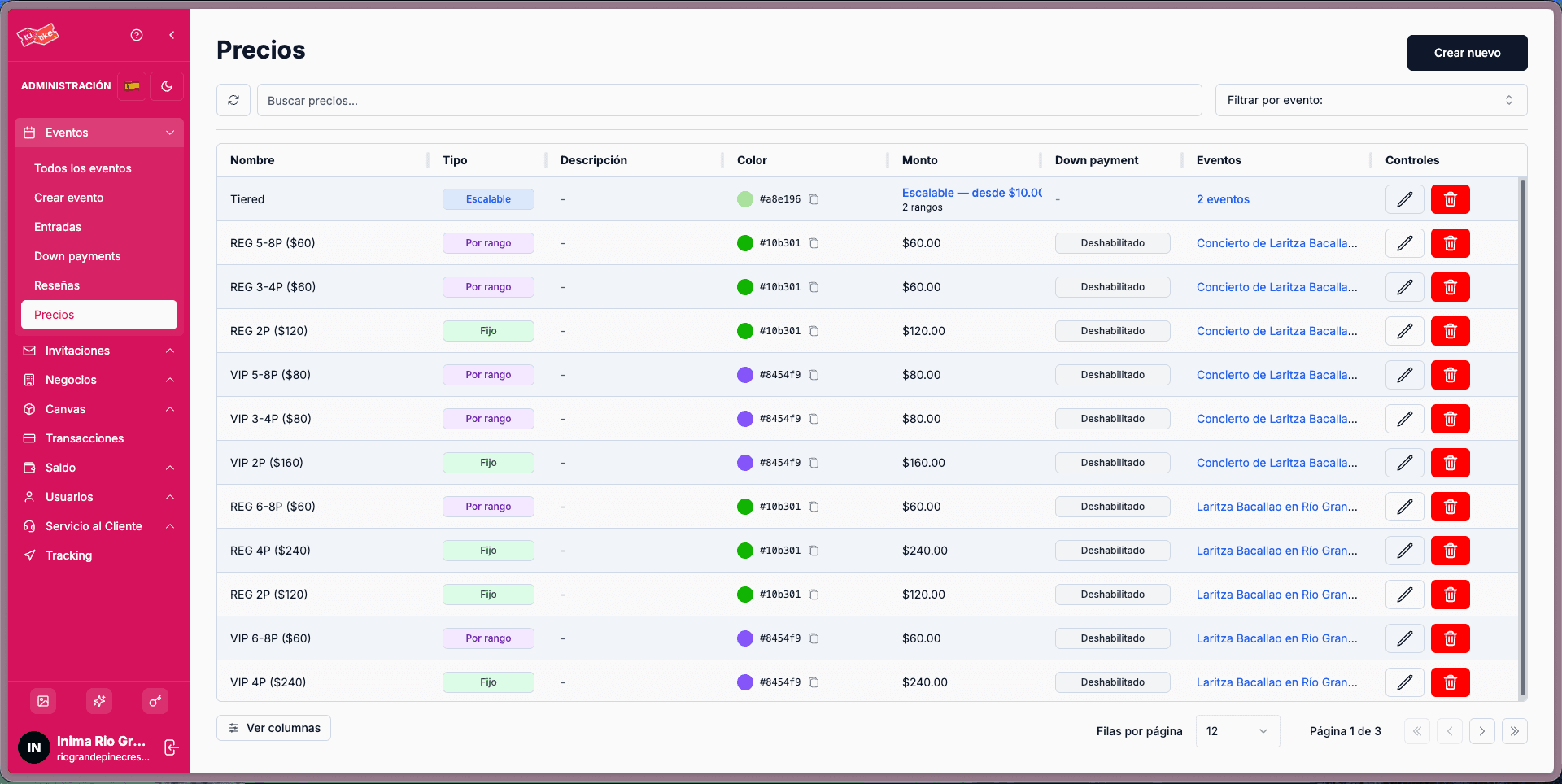
Prices listing
In the prices listing you can see all the prices you have created and which ones you are currently using. This view lets you:
- View all created prices
- Identify which events each price is being used in
- Create new prices