Events
Introduction to events
What an event is in TuTike and what types exist
What is an event?
An event is the main unit of the platform. It represents any activity you want to organize and sell: a concert, a dinner, a theater show, a conference, etc.
From the management panel you can create events, configure their details, define prices, and control who can view and purchase them.
Event types
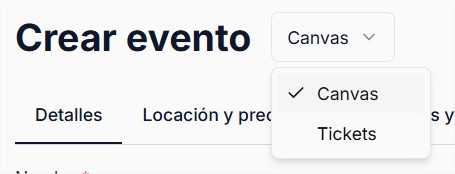
When creating an event you must choose the sales model:
| Type | Description |
|---|---|
| Canvas (interactive map) | Buyers choose their spot on a visual map (seats, tables, zones). Ideal for events with a defined physical layout. |
| Tickets by quantity | Buyers choose how many tickets they want without a specific seat assignment. Ideal for general admission events. |
| Invitation only | A completely separate system. The event does not appear in the public catalog. Access is managed through individual invitations with slots per person and companion requests. |
The event type cannot be changed after creation.
Invitation only events are managed from the Invitations module. They require a canvas and have their own step-by-step creation flow.
Event statuses
| Status | Description |
|---|---|
| Draft | Created but not published. Visible only to the organizer. |
| Active | Published and available for purchase. |
| Coming soon | Visible as an announcement but with sales not yet enabled. |
| Sold out | The organizer can mark the event as sold out even if some elements are still available (tickets, tables, chairs). It also transitions automatically when all reservations are physically taken. While sold out, no new reservations can be made. |
| Maintenance | When changes are being made to the event. While in maintenance, no reservations can be made. |
| Archived | The event is completely removed from both the admin and manager views. |